

If your Windows 11 computer has the April 2026 cumulative update installed (KB5083769, released on Tuesday, April 14), you will see a popup shortly after you double-click the Polaris ILS Live (SHARE Members Access) icon:
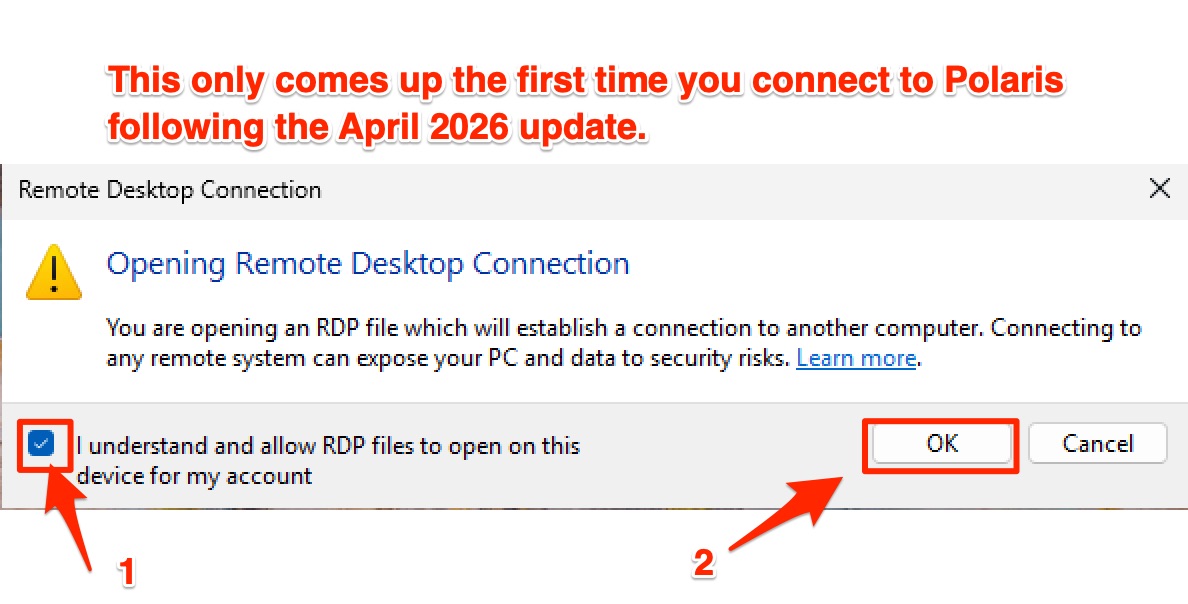
Click the checkbox I understand and allow RDP files to open on this device for my account (1) and then click OK.
The next popup, however, will come up every time you connect to Polaris from now on:
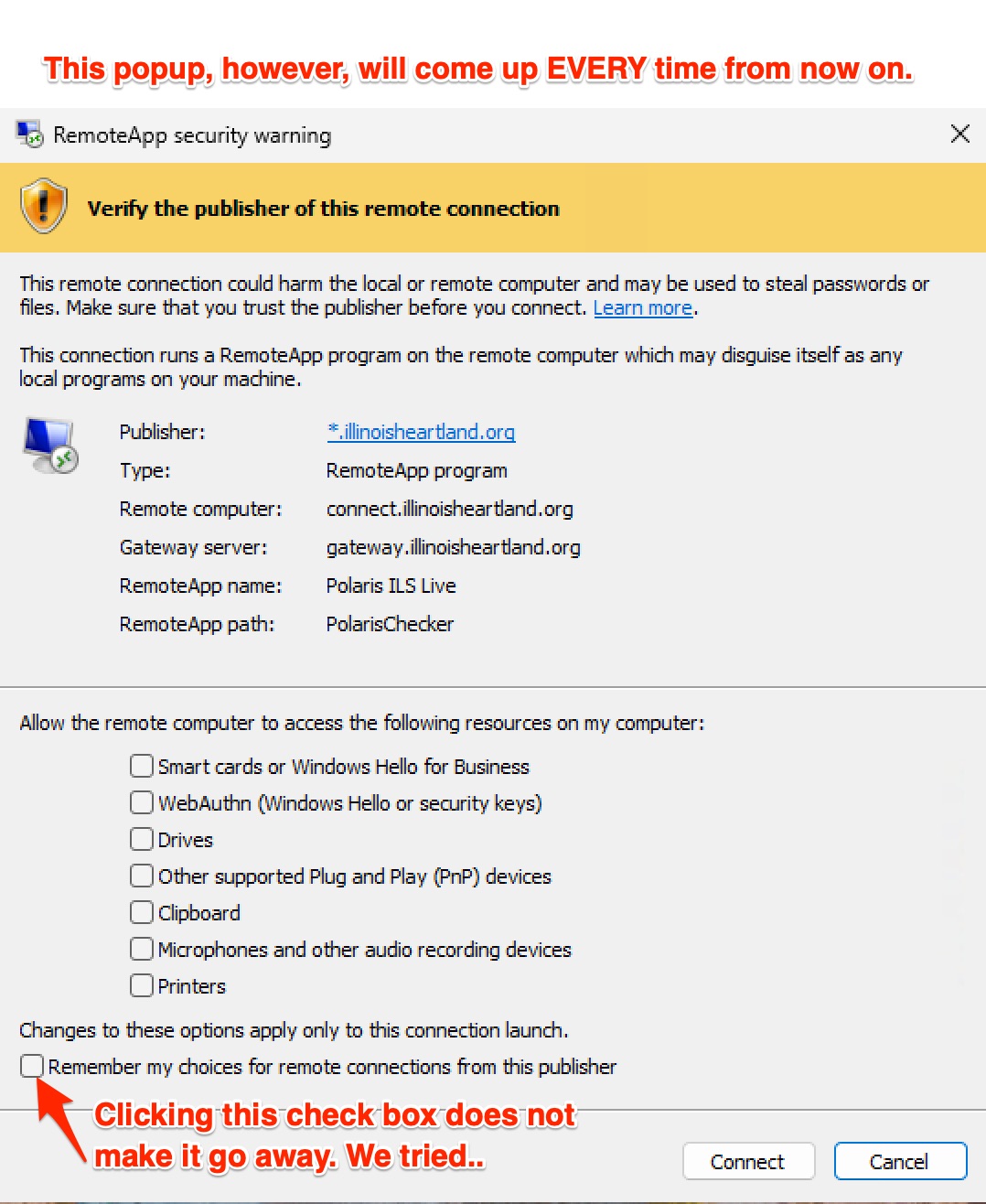
This will appear every time you try to connect, regardless of whether or not the "Remember my choices for remote connections from this publisher" is checked.
When you see this for the first time, you will need to check the following check boxes:
- Drives
- You'll need this if you import data from Polaris to an external drive (this applies mostly to full catalogers)
- Other supported Plug and Play (PnP) devices
- Certain barcode scanners may not work properly without this
- Clipboard
- Without this, you won't be able to copy and paste to/from Polaris
- Printers
- Without this, printers may not work (even with ScrewDrivers installed)
- Remember my choices for remote connections from this publisher
- While it doesn't make the popup go away, it does remember the check boxes you click on previously, so at least that's...something...right?
After clicking those five check boxes, click Connect. You should be able to connect to Polaris like normal.
Next time you connect to Polaris, you won't see the first box again, but you will see the second! Once it appears, it'll at least remember the choices you checked:
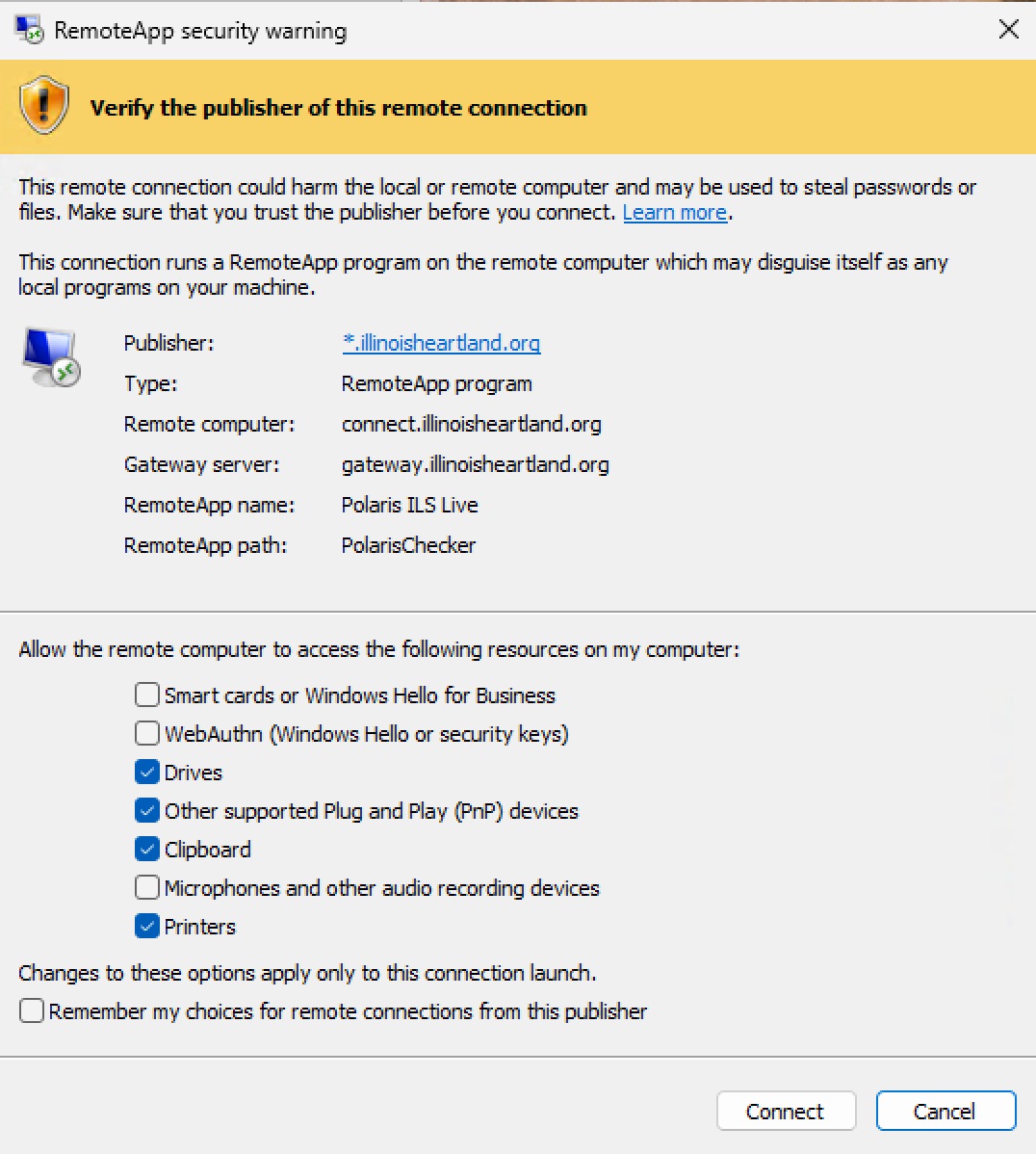
From there you can just click Connect.
For more information:
- April 2026 cumulative update for Windows 11: https://support.microsoft.com/en-us/topic/april-14-2026-kb5083769-os-bui...
- The popups themselves: https://www.bleepingcomputer.com/news/microsoft/microsoft-adds-windows-p...
NOTE: The second link above has a fix to disable the popup, but we do not recommend having users apply the fix without the assistance of qualified computer technician, as this requires modifying the registry. Serious problems can occur if something gets changed in the registry and your computer ends up not liking it! In addition, Microsoft may disable that registry setting in the future!